No Asteroids Sector Map and Contracts Explained
What the No Asteroids sector map shows, how the main contract differs from later ones, and why the game is one asteroid at a time rather than a level list.
Players searching for a No Asteroids map usually expect a level select or a star chart of destinations. What they get is stranger and simpler: one asteroid, one contract, one ninety-day clock, and a sector map that records the shapes of rocks you have already finished. Understanding that difference early saves you from looking for a menu that does not exist.
Is No Asteroids a level-based game?
No. The campaign puts you on a single asteroid and asks you to remove it before it reaches Earth. There is no list of stages to unlock, no planet-hopping, and no way to skip ahead to a better rock.
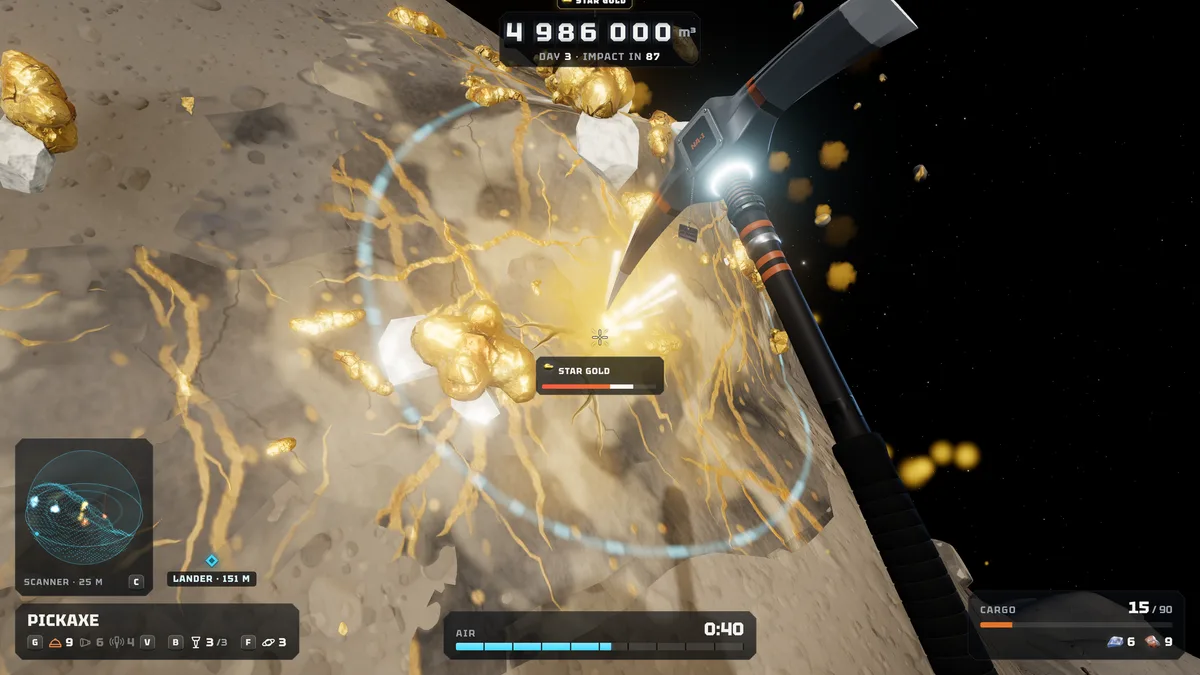
That design choice explains most of the game’s pacing. Because you cannot leave for a richer asteroid, the only way to improve your situation is to improve your ship, your tools and your route. The asteroid is not a level you beat; it is a problem you shrink, five million cubic metres at a time.
What does the sector map actually show?
The sector map shows asteroid shapes, and it marks shapes you have already completed. It is closer to a service record than a navigation tool: it tells you which rocks are behind you, not where to go next.
The shapes are the point. Asteroids are not spheres in this game, and the silhouette carries real information about how a run will feel: how much surface area you have to work with, how deep the middle sits from the nearest face, and whether the whole thing looks like something other than a rock. That last part matters more than you might expect, because the game leans into it deliberately.
What is the main contract?
The main contract is a target volume, not a target mineral. You start with 5,000,000 m³ of asteroid on a ninety-day course to Earth, and the contract is finished when the asteroid is not.
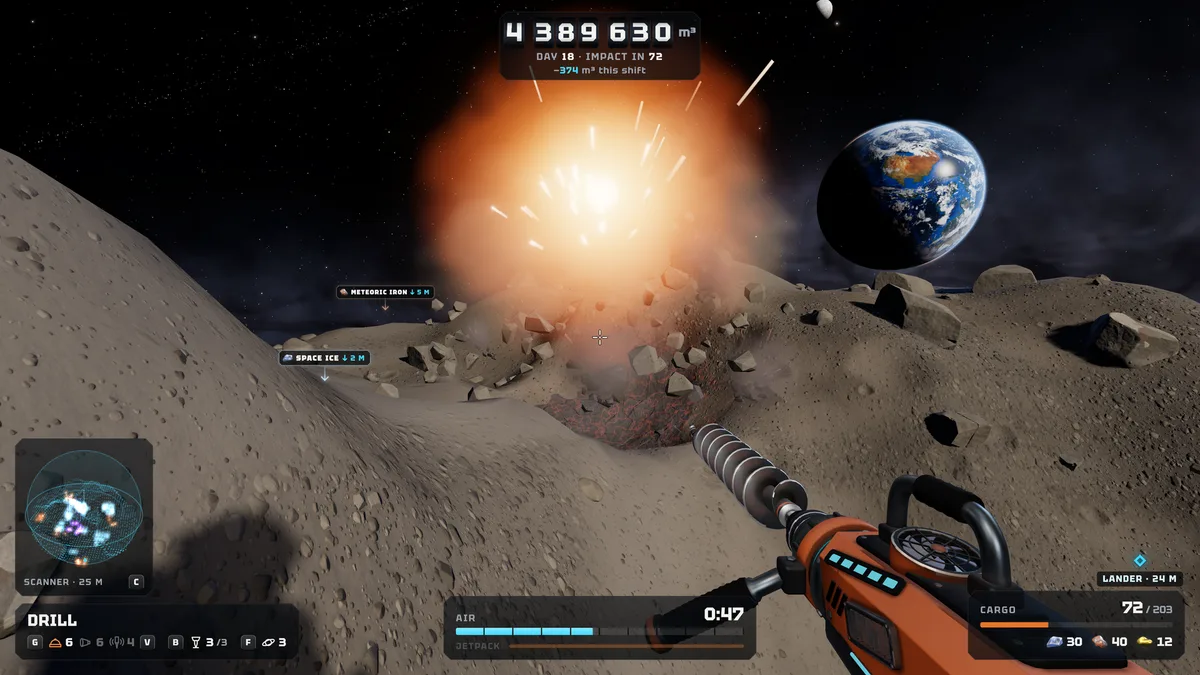
Three rules shape how you work against it. One in-game day equals one round trip, so the clock advances whether you dug or not. A failed trip — a blackout, a launch that leaves you outside — still costs the day. And the HUD shows your remaining volume, so you always know exactly how much rock is left.
| Contract | Asteroid | What carries over |
|---|---|---|
| Main contract | 5,000,000 m³, 90-day deadline | Nothing; this is the run |
| New contract after the ending | A different asteroid type | Every upgrade you bought |
| New Game Plus | Starting asteroid 1,000,000 m³ larger | Artifacts, buffs and collections; upgrades reset |
| Overtime | A fresh asteroid after the ending | Your finished run continues on a new rock |
| Custom asteroid (beta) | Whatever model you load | Separate saves from the campaign |
What happens when the contract ends?
There are two endings and only one can happen per run. Grind the asteroid’s ground to zero and Earth is saved; let something reach Earth and the ending is rather less flattering. At the snapshot, 48.6% of players had the good ending and 5.0% had the bad one, which tells you that most runs succeed eventually and that failure is a real possibility rather than a formality.
The ending screen then offers two paths: New Game Plus or a new contract. They are genuinely different choices, not a difficulty toggle, and picking the wrong one for your goals costs a whole run.
What is the duck asteroid contract?
After the main contract, clients come to you with specific shapes they want removed. The confirmed example is a space hotel that wants a duck-shaped asteroid cleared. It is a joke with a mechanic attached: the silhouette you saw on the sector map is the job description.
These post-campaign jobs are where the game’s sense of humour and its level design meet. You are not being asked for a volume, you are being asked to erase something recognisable, and the shape of the rock dictates where the mass sits and therefore where you spend your shifts.
Should you pick a new contract or New Game Plus?
Pick a new contract if you want to keep your tools, and New Game Plus if you want the run to mean something again. A new contract keeps every upgrade you bought and drops you on a different asteroid type, which makes it the gentler option and the better one for chasing achievements that need specific gear.
New Game Plus resets your upgrades, keeps artifacts, buffs and collections, and starts you on an asteroid 1,000,000 m³ larger with the same ninety-day contract. Since 1.0.5 you also choose two of three permanent bonuses when the next year starts, and 1.0.6 increased the rewards in later years. It is a harder, longer run with a payoff that compounds.
The New Game Plus guide breaks down the reset in detail. For map purposes, the important thing is that both options put you back on a single asteroid with a single contract, and neither gives you a level select.
What is Overtime?
Overtime is the post-ending contract on a new asteroid, and 35.1% of players had it at the snapshot. Think of it as the game acknowledging that you finished the job and offering you another one immediately, on a different rock, with the tools you already own.
It is also where the sector map earns its keep. Each completed shape is a line in the record, and a player who has finished several contracts has a map that visibly shows it. That is the closest the game comes to a progression screen outside the achievement list.
Can you make your own asteroid?
Yes, in beta. Custom Asteroids arrived in 1.0.9: from Mods, then New asteroid, you can load a GLB, GLTF, OBJ or STL model, set the name, size and appearance, and edit rock.json to define up to 16 custom materials with textures, hardness, layers and mineral deposits. Four asteroids ship with the beta.
This is the answer for players who wanted a map of their own. Custom runs use separate saves from the campaign, so a custom asteroid is a sandbox rather than an extra contract on the sector map. The custom asteroids guide walks through the steps and the file formats.
How long does a contract take?
The official estimate for the main contract is six to nine hours, which works out at roughly four to six minutes of real time per in-game day. That is arithmetic on the official figures rather than a measurement, so treat it as a planning number.
What actually decides your length is how many days you waste. The clock does not pause for a bad route, a blackout or a trip where you flew home with half a hold. The how long to beat guide covers the variables, and the release and demo guide explains how the fifteen-day demo save carries into the full game if you want to test the loop before committing.
What to do next: open the sector map once at the start of a run and once at the end, and note how the shape you were staring at for six hours reads differently when it is marked complete. Then read the asteroid layers guide before your next contract, because a new asteroid type changes where the value sits even though the map looks the same.
Gallery
FAQ
Is there a map in No Asteroids?
How many asteroids are in No Asteroids?
What is the main contract in No Asteroids?
What is the duck asteroid in No Asteroids?
Related Articles
updates
No Asteroids Custom Asteroids: How the 1.0.9 Beta Works
No Asteroids Custom Asteroids arrived in 1.0.9. Here is how to import a GLB, GLTF, OBJ or STL rock, what rock.json controls, and what the beta cannot do yet.
mining
No Asteroids Asteroid Layers: Depth, Core and Loose Rock
How the No Asteroids asteroid is layered: soft surface rock, richer deep stone, a distinct core, and the loose chunks that break free as you mine.
mining
No Asteroids Hazards: Gas, Antimatter and Strange Matter
The four things in the No Asteroids asteroid that can cost you a shift: gas pockets, explosive Antimatter, Strange Matter and the dark rock you see glowing.
Was this helpful?
Thanks for the feedback!